Sealed just for you
Balances are unsealed via CoFHE permits and NaCl sealing keys; decryption happens on your device, not on a server.
Fhenix Pay is a self-custodial mobile wallet for confidential payments. Hold tokens whose amounts are encrypted on-chain, send them by QR, NFC, or Bluetooth, and nobody but you ever sees how much.
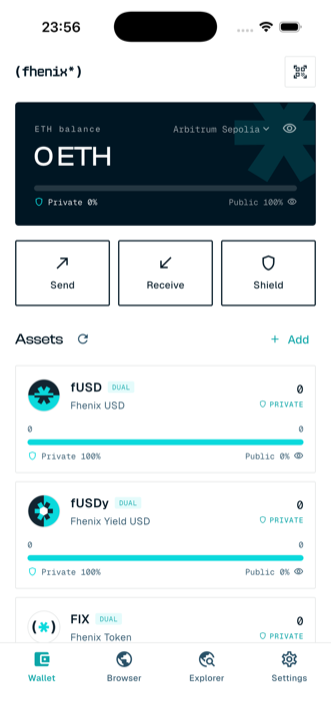
The portfolio card shows your total in USD and how much of it is confidential. Every token card breaks the split down further, with the encrypted side unsealed only for you, on your device.
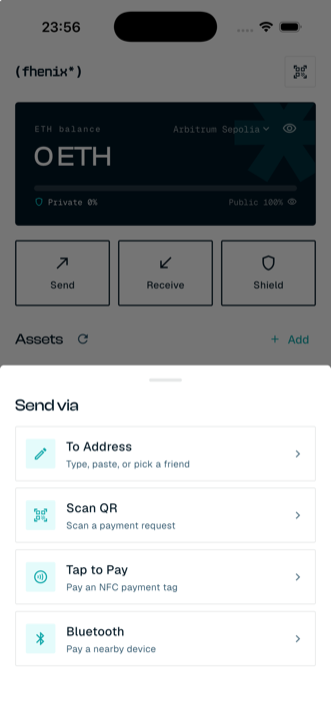
Sending is built around how people actually pay in person: point your camera, tap a terminal, or find the device standing next to you. The amount is encrypted on your phone before the transaction ever leaves it.
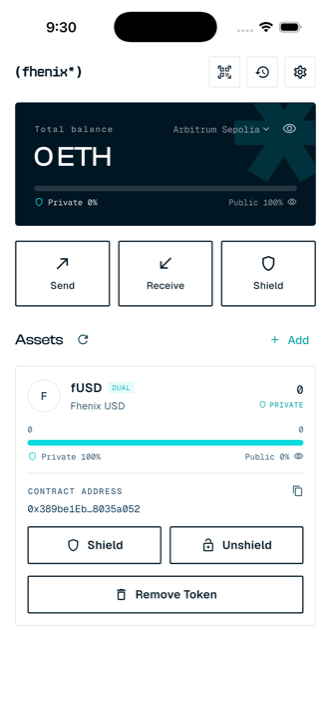
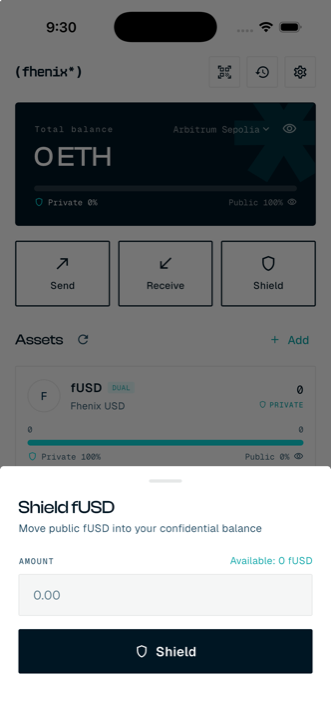
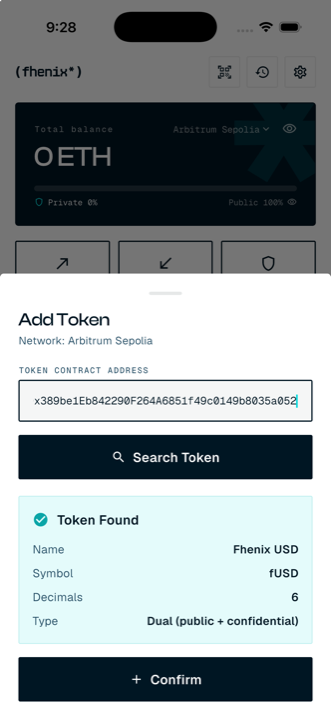
Dual-mode tokens like fUSD carry a public and a confidential balance in the same contract. Shielding moves value into the encrypted side; unshielding brings it back, with the decryption handled by the CoFHE network, never by a server that sees your money.
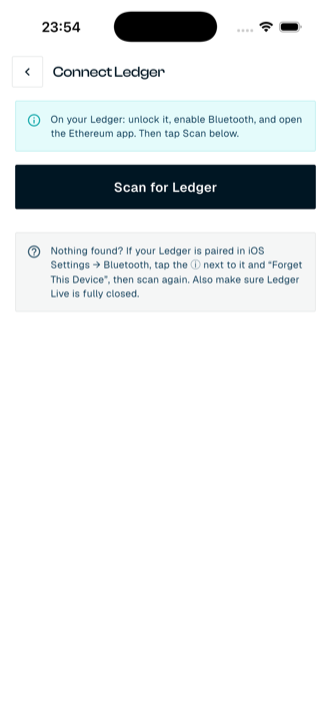
Connect a Bluetooth Ledger and use it as your wallet. The private key stays in the Ledger's secure element and never touches the phone. Balances, confidential unsealing, sending, shielding: everything works the same, with every signature confirmed physically on the device.
Fhenix Pay tokens run on smart contracts computing over fully homomorphic encryption. A transfer lands on-chain as amount: ▓▓▓▓▓▓ and stays that way forever: the contract adds and subtracts balances it cannot read, and only the holder can unseal their own number.
Every send encrypts the amount on your phone. Explorers see that a transfer happened, never how much moved.
One contract, two ledgers: a normal public ERC20 balance and an encrypted one, with shield/unshield moving value between them.
Wrap any plain ERC20 (cUSDC wraps USDC) into a confidential token, and unwrap back to the original whenever you like.
Balances are unsealed via CoFHE permits and NaCl sealing keys; decryption happens on your device, not on a server.
Unshield claims are decrypted by the CoFHE threshold network and settled on-chain with a verifiable proof.
Paste any address and the app probes the contract and labels it ERC-20, DUAL, or FHERC20 wrapper automatically.
Create a wallet with a 12-word recovery phrase (verified before you can proceed) or import one. Keys live OS-encrypted on the device.
Face ID / fingerprint / passcode to open the app and to sign or send anything, and the wallet locks itself again after a minute in the background.
Let an auditor or accountant read chosen balances or transactions with a signed permit that expires on its own, and revoke it whenever you like.
Amounts come from the token contract, not the payment request; new recipients are confirmed by hand; dApps must name themselves on every request.
Fhenix's own servers are pinned to their certificate authorities, so a rogue certificate can't sit in the middle.
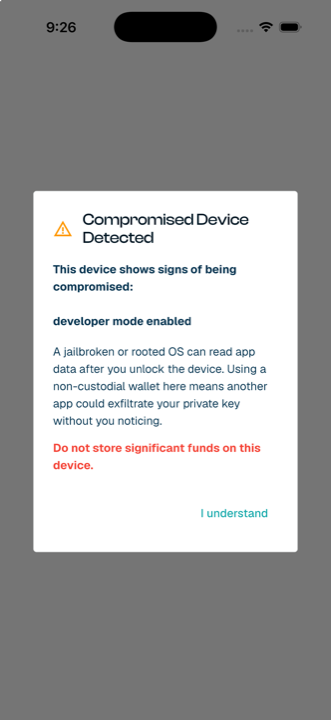
Jailbreak and developer-mode detection warns you before a non-custodial wallet is opened on a risky device.
Pair with a dApp in your browser over an end-to-end WebRTC link; every transaction is decoded and shown on the phone before you approve.
Every transaction is locally gas-estimated with headroom and a fee cap: no more base-fee surprises on Arbitrum.
A full transaction history plus live USD pricing for your portfolio total and per-token values.
The Fhenix Confidential Explorer opens in-app on your own address (with your amounts decrypted just for you), and a dApp browser loads any CoFHE dApp with the wallet built in.
An address book for the people you pay often: save an address under a name once, then pick it straight from the send flow.
The curated Fhenix token list loads automatically per network, and the app follows your system theme, or force light / dark in Settings.
Two minutes from install to your first confidential token; the manual walks you through it.